Growing a YouTube channel can be challenging, especially for new creators trying to reach a wider audience. Even if your videos are high-quality and engaging, they may struggle to get views without proper promotion. One of the most effective and authentic ways to increase YouTube visibility is through Google Ads.
In this guide, we will explain how YouTube promotion through Google Ads works, why it is considered safe, and how you can use it to grow your channel effectively. We will also provide practical tips, examples, and frequently asked questions for beginners and experienced creators.
What Is YouTube Promotion Through Google Ads?
YouTube promotion through Google Ads is a method of advertising your videos using Google’s official advertising platform. With Google Ads, your video can appear:
- Before other YouTube videos as a skippable ad
- During videos as mid-roll ads
- In search results or suggested videos
- On Google partner websites
When users watch your video through Google Ads, the views are legitimate and counted by YouTube, unlike fake views generated by bots or automated services. Google Ads uses advanced audience targeting, ensuring your content reaches people who are genuinely interested in your niche.
Example:
If your channel focuses on tech reviews, Google Ads can promote your videos to users who frequently watch technology content. This targeting increases the likelihood of engagement, subscribers, and organic growth.
Why Google Ads Promotion Is Safe and Authentic
Many new creators are hesitant about promoting videos because some third-party services use fake views or bots, which can harm your channel and violate YouTube policies.
Google Ads promotion is 100% authentic because:
- Views come from real users – Every view is from a genuine person using YouTube or Google partner sites.
- Official platform – Google Ads is managed by Google, making it compliant with YouTube’s terms of service.
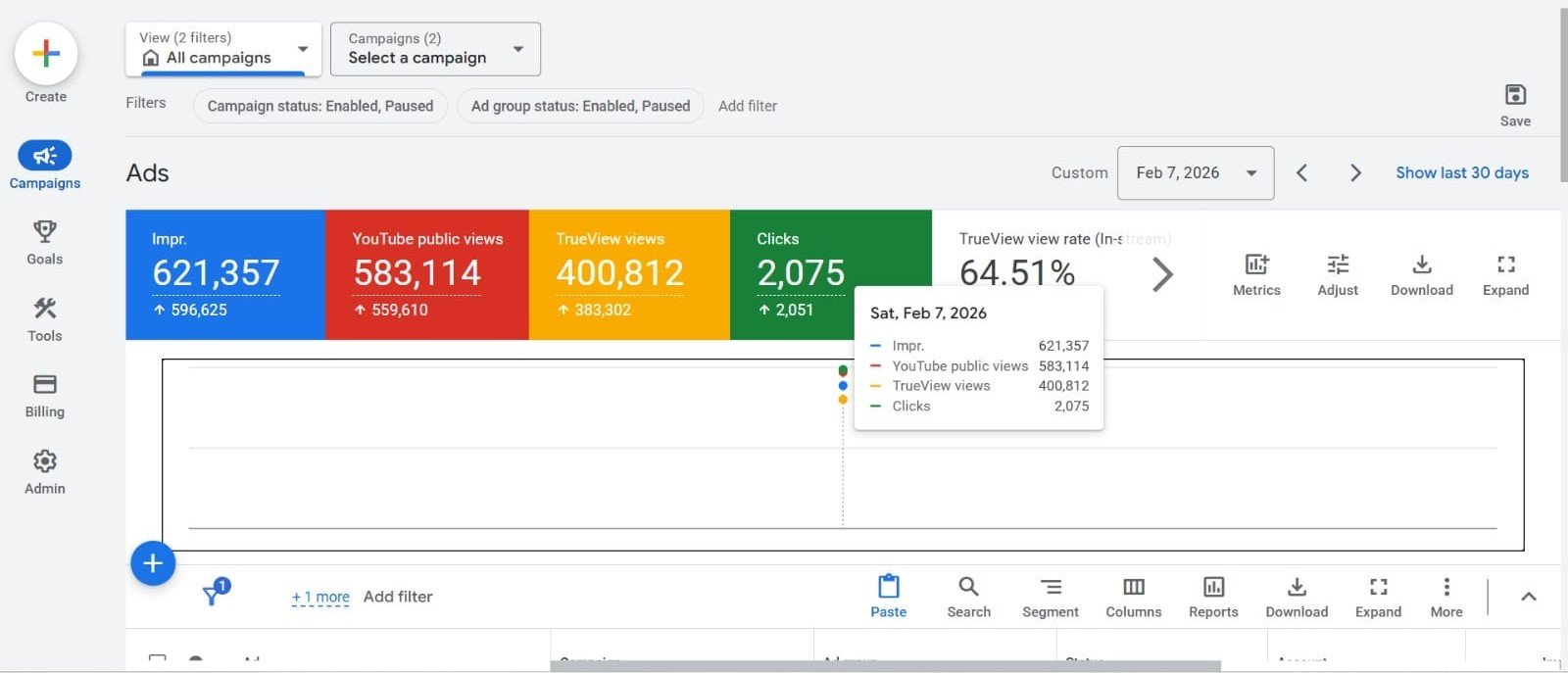
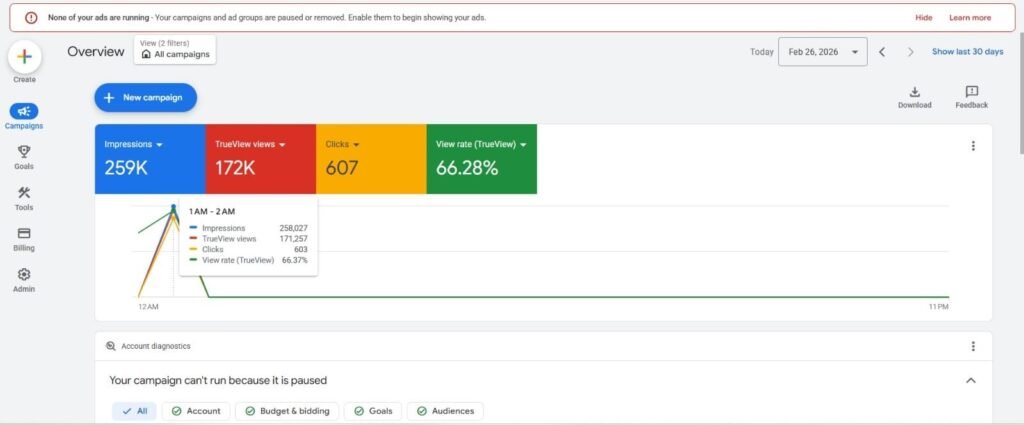
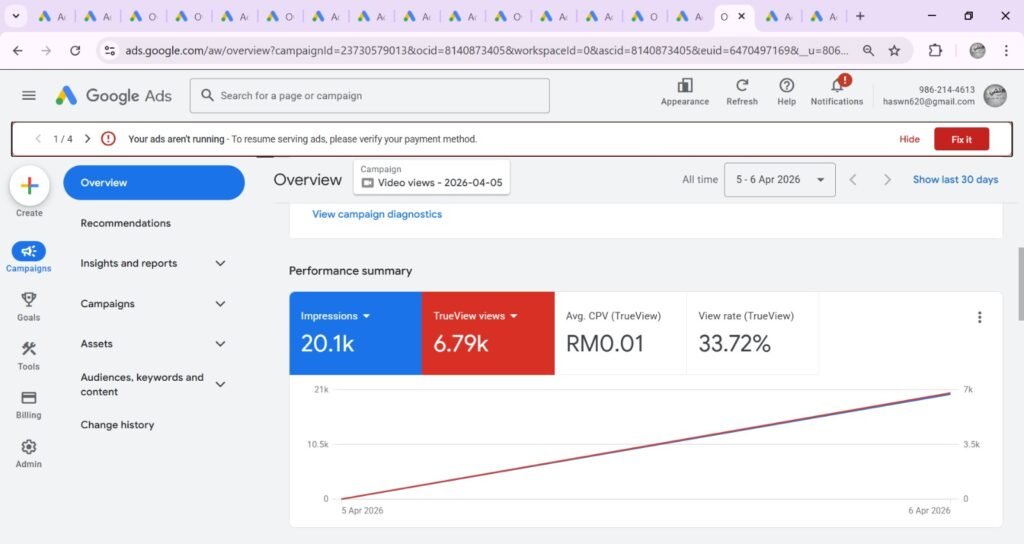
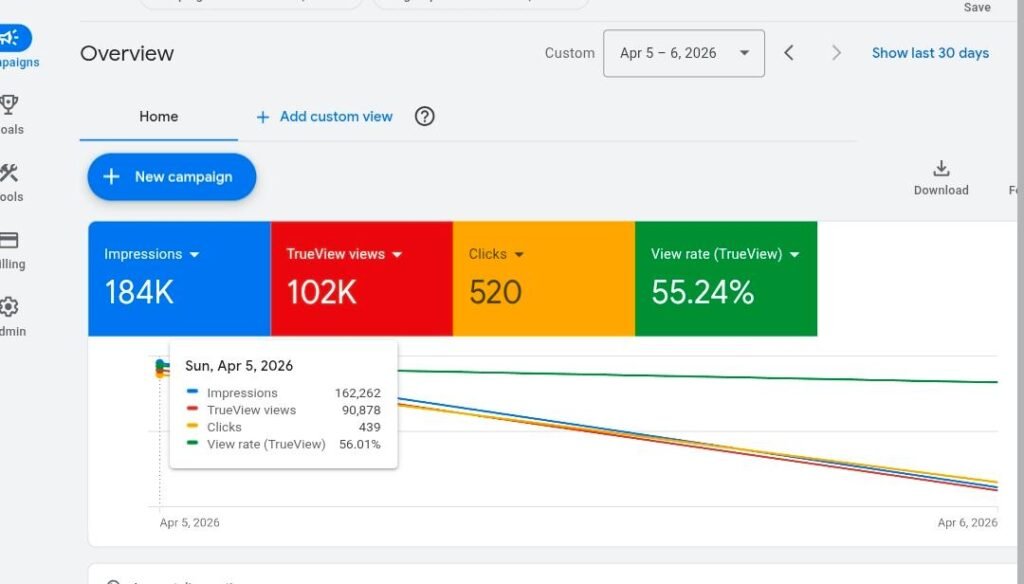
- Transparent reporting – You can track metrics like views, audience reach, impressions, and engagement directly in the Google Ads dashboard.
- Safe for monetization – Promoted views do not affect your AdSense or YouTube monetization eligibility.
This makes Google Ads one of the most reliable methods to grow your YouTube channel safely.
Benefits of Using Google Ads for YouTube Promotion
Promoting YouTube videos with Google Ads offers several advantages:
1. Targeted Audience Reach
Instead of showing your video randomly, Google Ads allows you to target viewers based on:
- Interests (e.g., gaming, fitness, technology)
- Demographics (age, gender, location)
- Behavioral patterns (frequent online shoppers, video watchers, etc.)
- Custom audiences (previous website visitors or channel subscribers)
2. Increased Channel Visibility
Higher views lead to:
- More likes and comments
- Improved watch time
- Increased chances of organic discovery
As more people engage with your content, YouTube’s algorithm is more likely to recommend your videos to other viewers.
3. Flexible Budget Control
Google Ads allows creators to:
- Set daily or lifetime budgets
- Pause or adjust campaigns anytime
- Start with a small budget and scale as results improve
Even beginner creators with a limited budget can run campaigns and see measurable results.
4. Performance Tracking
Google Ads provides detailed reports to monitor your campaigns. You can track:
- Total views and watch time
- Audience engagement (likes, comments, shares)
- Click-through rates
- Demographics and geographic data
- Budget usage and ROI
This data helps you optimize campaigns, improve targeting, and maximize your channel growth.
In addition, advertising campaigns can be optimized over time. If certain audiences respond better to your videos, you can adjust your targeting to focus on those viewers.
How to Promote YouTube Videos Using Google Ads
Here’s a step-by-step guide to set up a YouTube promotion campaign:
Step 1: Sign Up for Google Ads
Create an account at ads.google.com using your Google account.
Step 2: Link Your YouTube Channel
Connect your YouTube channel to Google Ads for seamless promotion and accurate tracking.
Step 3: Choose Your Campaign Type
Select “Video Campaign” and choose your goal:
- Brand awareness and reach
- Product and website conversions
- Lead generation
For most creators, brand awareness and reach is ideal for growing subscribers and views.
Step 4: Target Your Audience
Set targeting options based on:
- Interests and hobbies
- Location (e.g., Pakistan, India, USA)
- Age group and gender
- Devices (desktop, mobile, or both)
Step 5: Set Your Budget and Bidding
Decide how much you want to spend daily or for the total campaign. You can start with a small budget of $5–$10 per day and scale as needed.
Step 6: Create Your Ad
Choose a video from your channel and create an ad. Add:
- A compelling title and description
- Call-to-action (CTA) like “Subscribe now”
- Custom thumbnail for higher click-through rates
Step 7: Launch and Monitor
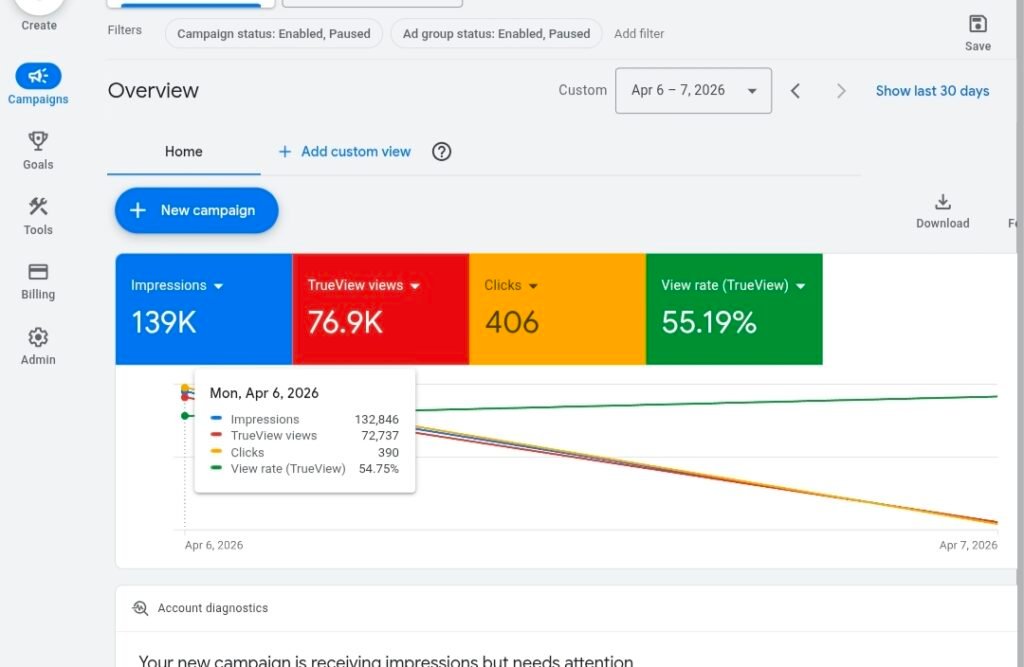
Start your campaign and track daily reports. Adjust targeting, bids, and ad settings based on performance.
These insights help creators analyze the effectiveness of their campaigns and make improvements when necessary.
For businesses and marketers, this data is extremely valuable because it provides measurable results and helps ensure transparency in advertising campaigns.
Tips to Maximize YouTube Growth Using Google Ads
- Use Engaging Thumbnails and Titles – First impressions matter; a clickable thumbnail improves CTR.
- Promote Popular Videos – Start with videos that already perform well organically.
- Target Relevant Audiences – Avoid broad targeting; focus on users who are most likely to engage.
- Monitor Analytics – Use Google Ads and YouTube Studio data to refine campaigns.
- Test Small Campaigns First – Start small to see which audiences respond best before scaling.
FAQs About YouTube Promotion With Google Ads
Q1: How much does it cost to promote a YouTube video with Google Ads?
A1: Costs vary based on targeting, audience, and competition. Beginners can start with $5–$10 per day.
Q2: Will Google Ads increase my subscribers?
A2: Yes, targeting interested audiences increases the likelihood of gaining subscribers in addition to views.
Q3: Can I promote multiple videos at the same time?
A3: Yes, Google Ads allows you to run campaigns for multiple videos simultaneously with separate budgets.
Q4: How do I know if the campaign is working?
A4: Track performance in Google Ads and YouTube Studio using metrics like views, watch time, engagement, and CTR.
Q5: Is it better to use Google Ads or social media promotion?
A5: Both methods work, but Google Ads provides direct YouTube exposure and real-time analytics, making it more reliable for genuine growth.
Conclusion
Promoting YouTube videos through Google Ads is one of the safest and most effective ways to grow a channel in 2026. Unlike services that offer fake views or bots, Google Ads uses real users and advanced audience targeting to increase visibility and engagement.
Benefits include targeted reach, flexible budgets, detailed analytics, and authentic views. Whether you are a beginner YouTuber, a business owner, or a digital marketer, Google Ads can help improve video performance and attract genuine subscribers.
With the right strategy, high-quality content, and careful monitoring, promoting videos through Google Ads can accelerate your channel growth and ensure long-term success.
Start small, track results, and scale campaigns for maximum impact — your YouTube growth journey becomes more predictable, safe, and professional.